90W PoE++ 802.3bt Switch: How to Specify It
Learn when a 90W PoE++ 802.3bt switch is needed, how to check cable and power budgets, and how to compare 4-port and 8-port options.
By Maxsol Team

A 90W PoE++ 802.3bt switch is worth specifying when one or more powered devices need substantially more power than ordinary PoE+ can provide, such as PTZ cameras with heaters, multi-sensor cameras, high-performance wireless access points, or field equipment with integrated lighting. It is not necessary simply because a switch is installed outdoors or because a project has many PoE devices.
The right choice depends on more than the headline wattage. Check the device’s PoE class and maximum draw, whether the required ports support four-pair 802.3bt power, the condition of every cable run, the switch’s total PoE budget, and the available input supply. A “90W” port is a capability to be allocated; it does not mean every connected device will receive or use 90W.
PoE classes in practical terms
PoE standards allow Ethernet cabling to carry data and DC power to compatible equipment. In a typical surveillance or wireless project, this can reduce the need for a separate mains power point beside every camera, access point or bridge.
The terms below are useful for initial planning, but always compare them against the powered device’s datasheet. Power available at the device is lower than power sent from the switch because cable resistance causes losses.
| PoE type | Common standard reference | Practical device examples | Planning point |
|---|---|---|---|
| PoE | IEEE 802.3af | Fixed IP cameras, VoIP phones, simple sensors | Suitable for lower-power devices with predictable demand. |
| PoE+ | IEEE 802.3at | Many dome cameras, standard access points, video intercoms | Often sufficient for conventional security and SMB wireless installations. |
| PoE++ | IEEE 802.3bt | High-power PTZ cameras, outdoor APs, multi-radio APs and specialised network devices | Used where a device needs more power, especially when four-pair power is required. |
In practical specifications, a device may be labelled by its maximum input wattage, its IEEE class, or both. Do not assume that a camera labelled “PoE” will run on every PoE switch. A PTZ camera, for example, may operate normally at rest but need much more power when its motors, IR illuminators or heater are active.
Likewise, do not size a switch from a device’s average operating consumption alone. Use the manufacturer’s stated maximum demand, including optional accessories and low-temperature or night-time operating modes where applicable.
What “90W” means in a PoE++ specification
A 90W PoE++ 802.3bt switch port is generally intended for high-power PoE applications using four-pair power delivery. The actual power received by a powered device depends on the negotiated PoE class, cable loss, switch configuration and the device’s own power limit.
This creates two important rules:
- A 90W-capable port can still power lower-demand 802.3af or 802.3at devices, subject to compatibility and the switch’s power budget.
- The switch needs enough total input power to support the combined load, not merely one high-power port.
For example, a switch may have two ports capable of up to 90W, but its total available PoE budget may limit whether both can supply their maximum load at the same time. Confirm the total budget and any port-priority behaviour before finalising the design.
When higher-power devices need 802.3bt
Specify 802.3bt when the powered device explicitly requires it, or when its maximum stated power requirement exceeds the practical delivery range of PoE+. This is most common in installations with advanced surveillance, high-density wireless or remote field devices.
Typical reasons to choose a 90W PoE++ port
A high-power port may be appropriate for:
- PTZ cameras with high-load functions such as motor movement, powerful IR, heaters, wipers or integrated illuminators.
- Multi-sensor and multi-lens cameras that combine several imaging modules in one enclosure.
- Outdoor wireless access points with multiple radios, higher transmit capability or added hardware functions.
- Wireless bridges and CPE equipment where the documented input requirement exceeds PoE+.
- Remote network devices that need a larger power allowance but still use Ethernet for data and power.
- Future-proofed field enclosures, where one port may later need to support a higher-power device.
For a conventional fixed camera drawing modest power, PoE+ may remain the sensible selection. Overspecifying every port as 90W can increase power-supply and thermal-planning requirements without solving a real problem.
Read the powered-device requirement carefully
Look for these details in the device documentation:
- Supported standard: IEEE 802.3af, 802.3at or 802.3bt
- Maximum power consumption, not just typical consumption
- Required PoE class or injector/switch recommendation
- Whether the stated power draw includes IR, heater, motor movement or USB accessories
- Whether a proprietary PoE method is required instead of IEEE-standard PoE
- Any restriction on cable category, conductor type or maximum cable length
A device marketed as “PoE++ ready” may support 802.3bt, but it may not need 90W continuously. Conversely, a device may require a high-power input under specific operating conditions. The device specification, rather than the product category, should determine the port requirement.
Verify ports, pins, cable and input supply
An 802.3bt project can fail even when the switch and device both appear compatible on paper. The complete power path matters: the correct switch port, all four cable pairs, sound terminations, adequate copper conductors and a suitably sized power source.
Confirm which ports provide 802.3bt
Not every PoE port on a PoE++ switch necessarily delivers 90W. Many switches reserve higher-power capability for selected ports while providing 802.3af/at support across the remaining ports.
Before installation, make a port schedule showing:
| Item to verify | Why it matters |
|---|---|
| Device name and location | Prevents a high-power endpoint being connected to an unsuitable port. |
| Maximum device wattage | Supports realistic budget calculations. |
| Required IEEE standard | Confirms af, at or bt compatibility. |
| Assigned switch port | Identifies which devices must use 90W-capable ports. |
| Cable route and estimated length | Highlights voltage-drop and inspection priorities. |
| Total simultaneous load | Ensures the switch input and PoE budget are adequate. |
If two cameras need 802.3bt, they must be connected to the specific ports that support it. A nearby ordinary PoE+ port is not a substitute.
Four-pair cabling is critical
Higher-power 802.3bt applications commonly use all four twisted pairs in a standard Ethernet cable. That means all eight conductors must be present, properly terminated and electrically sound from end to end.
Inspect for common issues, especially on existing sites:
- Four-core or two-pair cable used for a previous low-power installation
- Damaged, corroded or water-affected outdoor cable
- Poorly terminated RJ45 plugs or keystone jacks
- Split pairs, loose connections or intermediate couplers
- Copper-clad aluminium cable, which can have higher resistance than solid copper cable
- Patch leads of uncertain quality
- Unplanned joins inside ceiling spaces, poles or external boxes
For a new installation, use quality Ethernet cable appropriate to the environment and follow the cable maker’s limits. Ethernet channels are commonly planned up to 100 metres, but high-power PoE designs should not treat that distance as an automatic guarantee of delivered wattage. Longer runs and higher-resistance conductors increase power loss.
Size the input supply for the real load
A PoE switch needs an input supply that can cover its own operation plus the expected PoE output, with sensible headroom. The total should be calculated using the maximum simultaneous demand of connected equipment, rather than adding up average readings from a quiet period.
For example, a site with two high-power cameras and several standard cameras needs to account for both 90W-capable ports, all lower-power ports and the switch itself. If the input supply is undersized, symptoms may include devices restarting, ports shutting down under load or intermittent operation when cameras activate IR or move.
For outdoor Malaysian installations, also plan the wider power path: enclosure heat, power-source stability, earthing, suitable surge protection and protected cable entry points all deserve attention. These measures do not replace correct PoE sizing, but they help reduce avoidable site faults.
Compare 4-port and 8-port managed options
The best port count is not simply the number of devices on today’s drawing. Include uplinks, spare capacity, the number of high-power endpoints and whether the project benefits from separating cameras, APs or field devices across smaller cabinets.
The following options have two documented 90W 802.3bt-capable ports. The remaining PoE ports are intended for IEEE 802.3af/at devices.
| Model | PoE ports | High-power allocation | Uplinks | Best starting point |
|---|---|---|---|---|
| PS2402SFG-I-BT | 4 Gigabit PoE ports | Ports 1–2 support IEEE 802.3bt up to 90W; ports 1–4 support 802.3af/at | 2 SFP ports | Smaller node with up to two high-power endpoints |
| PS2802SFG-I-BT | 8 Gigabit PoE ports | Ports 1–2 support IEEE 802.3bt up to 90W; ports 1–8 support 802.3af/at | 2 SFP ports | Larger camera or wireless aggregation point with up to two high-power endpoints |
Choose four ports for a compact high-power node
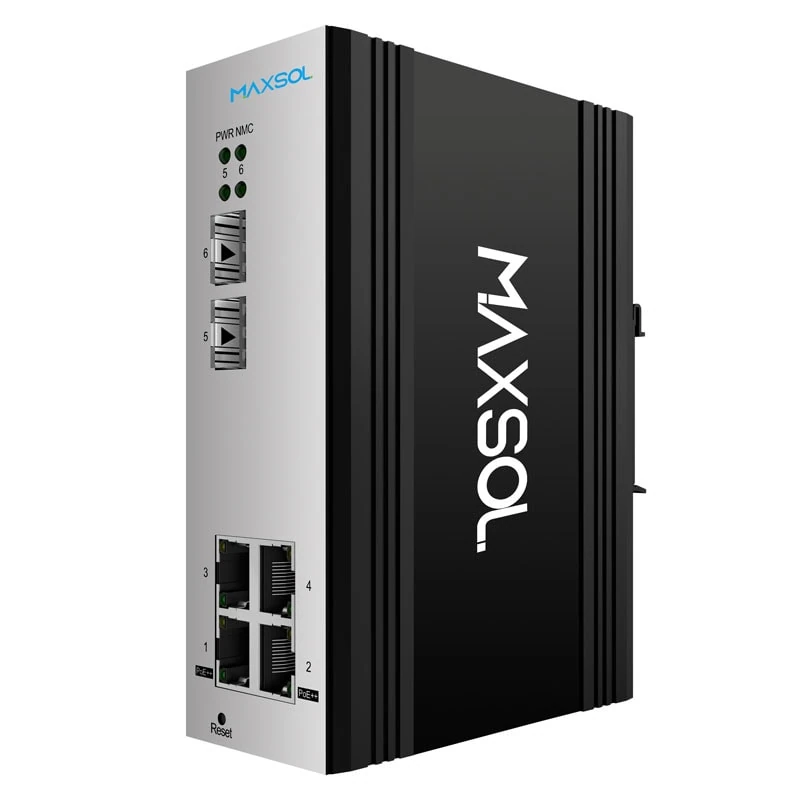
The PS2402SFG-I-BT 4-port managed PoE switch has four Gigabit PoE ports and two SFP ports. Ports 1 and 2 have the documented IEEE 802.3bt allocation of up to 90W, while all four PoE ports support IEEE 802.3af/at.
This layout suits a compact installation where two devices may need PoE++ and the other connections are standard PoE cameras, access points or network endpoints. It can be easier to document and troubleshoot where the port plan is straightforward.
Check the available total PoE budget, input-voltage requirement, SFP selection, environmental installation requirements and management functions against the actual project specification before selection.
Choose eight ports when standard PoE device count is higher
The PS2802SFG-I-BT 8-port managed PoE switch provides eight Gigabit PoE ports and two SFP ports. Its ports 1 and 2 support IEEE 802.3bt up to 90W, while ports 1 to 8 support IEEE 802.3af/at.
This arrangement is useful where a site has two demanding powered devices alongside a larger group of normal PoE cameras or access points. It avoids using a separate switch solely to accommodate additional standard-power endpoints.
The two SFP ports may also be relevant where the uplink design requires fibre. Confirm the required fibre type, optical module compatibility and link design separately; SFP ports do not remove the need to confirm the full uplink specification.
Management should support the operating plan
Managed switching can be valuable where installers or network teams need visibility and control over a distributed deployment. The precise features that matter vary by project, so identify the operational need first: for example, segmentation, port monitoring, fault isolation or remote configuration.
Do not assume a named function is included in every managed switch. Match the product documentation to the required management functions, topology and cybersecurity policy before procurement.
Consider hardened unmanaged deployment
For some rail-mounted field installations, a simpler unmanaged approach may be more appropriate than a managed switch. This can suit a stable, straightforward topology where central configuration is not required and the priority is to deliver the documented port types and power allocation at a local node.
The PS1802FE-HIB IP40 DIN-rail PoE switch has eight Fast Ethernet PoE ports, one Gigabit uplink and two SFP uplinks in an IP40 DIN-rail construction. Ports 3 to 8 support IEEE 802.3af/at, while ports 1 and 2 support IEEE 802.3af/at/bt up to 90W.
Its port arrangement is important: place high-power devices on ports 1 and 2, not ports 3 to 8. Also consider the data requirement. Fast Ethernet may be suitable for many individual cameras, but the traffic calculation should include camera bitrates, recording design, uplink aggregation and future expansion. A higher-resolution or multi-stream surveillance system may require a different data design even if the PoE wattage is adequate.
A hardened deployment is not defined by the switch alone. Cabinet sealing, cable glands, airflow, condensation control, earthing, surge protection and maintenance access should be assessed as part of the complete field installation.
Pre-installation checklist
Use this checklist before ordering equipment or beginning cable pulls:
- List every powered device and its stated maximum power requirement.
- Mark devices requiring IEEE 802.3bt and identify how many must operate at full load simultaneously.
- Assign high-power devices to the documented 90W ports, rather than assuming all ports have the same output.
- Calculate the total PoE load using maximum demand, then verify the switch’s stated PoE budget.
- Confirm the input supply can support switch consumption and PoE output with reasonable headroom.
- Inspect cable type and route length, particularly for older outdoor runs and high-power endpoints.
- Verify all four pairs are present and correctly terminated for 802.3bt applications.
- Avoid unknown cable quality, damaged patch leads and unnecessary joins or couplers.
- Check uplink capacity, including camera traffic, wireless backhaul requirements and fibre design where SFP is used.
- Plan port labels and a port schedule so installers connect 90W devices to the correct ports.
- Test under realistic peak load, such as PTZ movement, IR activation or maximum wireless demand.
- Document the final installation, including switch port, endpoint model, cable route and measured operating condition.
Common mistakes to avoid
The most frequent specification error is buying a 90W PoE++ switch without checking the total PoE budget. The second is connecting a high-power endpoint to a standard PoE+ port because the switch has only some 802.3bt-capable ports.
Other avoidable mistakes include relying on typical rather than maximum device draw, retaining questionable legacy cabling, overlooking power loss on a long run, and choosing Fast Ethernet where the traffic design calls for Gigabit access.
FAQ
Can a 90W PoE++ port power a normal PoE camera?
Usually, yes, where both products follow compatible IEEE PoE standards. The switch and powered device negotiate the appropriate power level, so a lower-power camera does not automatically draw 90W. Still verify the switch documentation, port allocation and total PoE budget.
Does every 802.3bt switch port provide 90W?
No. Some switches provide 90W only on selected ports. Always read the port-by-port allocation. In the models discussed above, the high-power allocation is limited to two specified ports.
Is Cat5e enough for 90W PoE++?
Cable suitability depends on its construction, length, conductor quality, termination and the requirements of the switch and powered device. The key point is that all four pairs must be intact and properly terminated. For high-power and outdoor work, inspect the actual cable rather than relying on the category label alone.
Does a 90W port mean the device receives 90W?
Not necessarily. The switch may provide up to a stated amount at the port, while cable loss and PoE negotiation affect what reaches the device. The device will draw only the power it needs within the negotiated limit.
Compare the linked Maxsol models against your required port count, device load, cable distance, available input power, installation environment and management requirements before making the final specification.