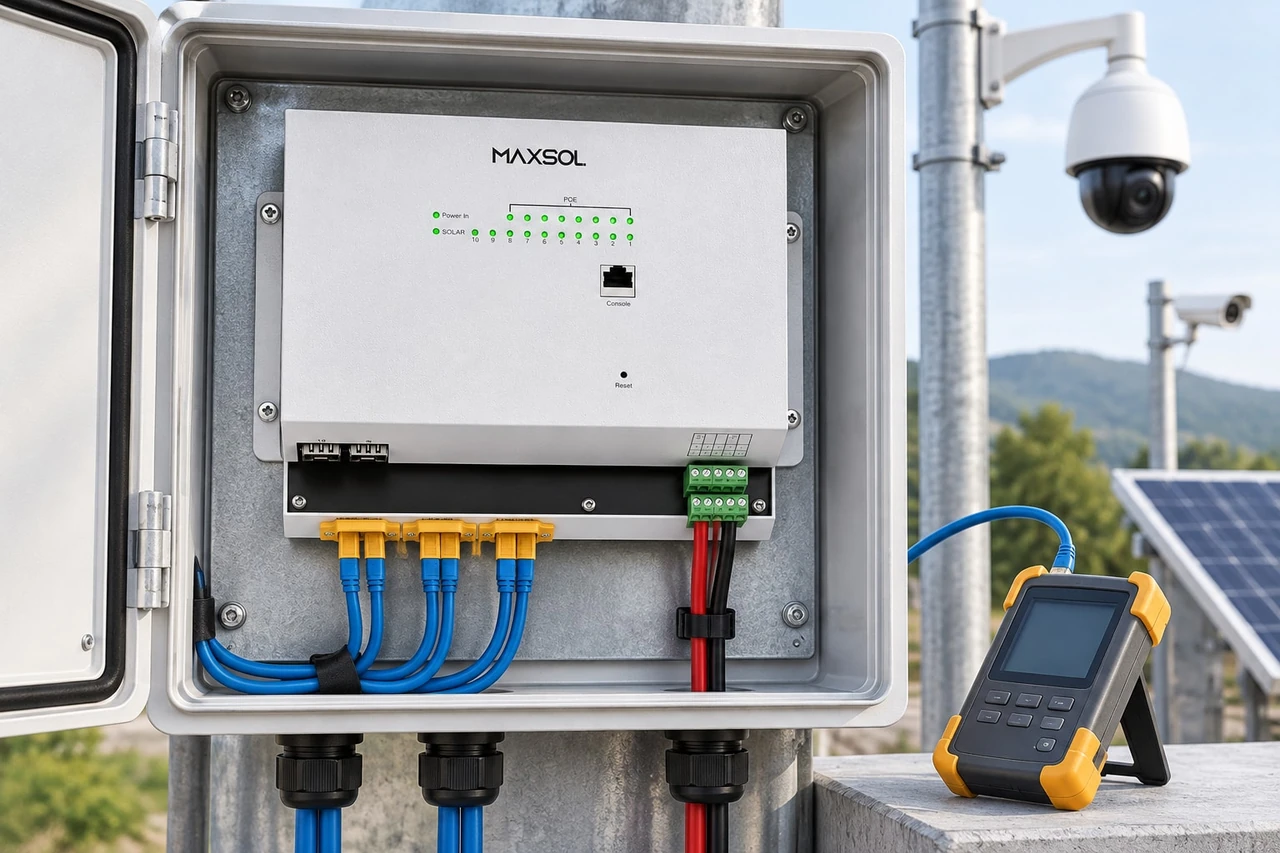
Outdoor PoE Power Checklist for Installers in Malaysia
Use this outdoor PoE power checklist to size loads, cable loss, protection, enclosures, uplinks and commissioning for Malaysian CCTV sites.
By Maxsol Team

A reliable outdoor PoE installation starts with a complete power path, not simply a switch wattage. Installers should map the source, conversion stages, PoE loads, cable distances, protection, enclosure conditions, uplinks and service controls before selecting equipment.
The practical rule is to verify every interface end to end. Confirm voltage range, polarity, pinout, PoE method, maximum current, per-port demand, total budget and recovery behaviour using current datasheets. Equipment with suitable-looking connectors or voltage labels is not automatically compatible.
Map power sources, loads, converters and interfaces
Begin with a one-line system diagram showing how power and data travel through the site. This makes hidden conversion stages, shared protection points and single points of failure easier to identify.
For each outdoor CCTV, wireless or network installation, record:
- Incoming source: utility AC, central DC supply, battery, photovoltaic array or hybrid source
- Source voltage range, including expected minimum and maximum
- AC-to-DC and DC-to-DC conversion stages
- PoE switch input and output requirements
- Camera, access point, radio, illuminator and other powered-device loads
- Copper and fibre uplinks
- Battery charging and low-voltage disconnection controls
- Surge protection, overcurrent protection and isolation points
- Earthing and bonding connections
- Monitoring interfaces and remote management paths
Do not treat all “48V”, “24V” or “PoE” labels as equivalent. A nominal battery voltage changes with charging state and load, while some DC-fed equipment accepts only a defined operating window. A passive power injector may place voltage directly on cable pairs, whereas standards-based PoE normally involves detection and power negotiation.
Grid-fed integrated equipment versus solar-oriented DC equipment
The right architecture depends on the available power source and the amount of integration required.
| Design consideration | Grid-fed integrated equipment | Solar-oriented DC equipment |
|---|---|---|
| Typical source path | Utility AC into an integrated power and network enclosure | PV and battery system supplying DC equipment |
| Conversion planning | Often fewer external conversion stages, but internal limits still require verification | Battery voltage range, charge state and DC conversion must be mapped carefully |
| Battery role | May use an integrated backup module | Usually forms part of the main energy system |
| Main sizing question | Can the AC input, internal supply and PoE budget support all loads? | Can the PV, battery, controller, conductors and PoE equipment support daily energy demand and peak current? |
| Installation risk | Assuming the integrated enclosure removes the need for surge, thermal and earthing design | Assuming nominal battery voltage guarantees compatibility with every DC input |
| Best fit | Sites with dependable AC where consolidated equipment is preferred | Remote or difficult-to-cable sites designed around PV and battery power |
For example, the SBOX2802SFG-I managed industrial smart Ethernet box is documented with IP65 protection, eight Gigabit PoE ports, two Gigabit SFP slots, Layer 2 management, AC100–240V input and a built-in 240W DC55V UPS module. It illustrates a grid-fed integrated design, but installers must still verify connected loads, backup expectations, surge arrangement and site conditions.
The IOT2802SFG-S managed solar industrial PoE switch illustrates a DC and solar-oriented layer. Its documented features include eight Gigabit PoE ports, two SFP ports, a 120W PoE budget, 90W BT support, PV and battery monitoring, PV and battery input at DC22–29.2V, and configurable 24V or 48V PoE on ports 3–4.
These products represent different architectures. They should not be assumed to form a tested compatible system. Confirm voltage, polarity, pinout, protocol, protection requirements and current product documentation before combining any components.
For a broader architecture overview, see the guide to outdoor PoE switch boxes, power, fibre and batteries.
Check per-port demand, total budget and voltage drop
A PoE design must pass three separate power checks:
- Each port can support its connected device.
- The switch can support the combined demand across all active ports.
- The upstream source and conversion path can supply the switch and other system loads.
Use the powered device’s maximum input requirement rather than its normal operating figure. Cameras may draw more power when infrared illumination, heaters, blowers, wipers, motors or other accessories are operating. Wireless equipment may also have peak loads during startup or high activity.
Create a load schedule with these fields:
| Load item | Quantity | Maximum input per unit | Startup or peak condition | Cable length | Assigned PoE port |
|---|---|---|---|---|---|
| Fixed camera | IR on or heater active | ||||
| PTZ camera | Movement plus accessories | ||||
| Wireless bridge | Startup or peak traffic | ||||
| Access point | Maximum radio operation | ||||
| Other DC load | Defined by equipment | Not applicable |
Add the maximum simultaneous PoE loads and compare the result with the switch’s documented total budget. Do not confuse the switch input rating, total PoE budget and maximum output of one port; these are different limits.
Allow for:
- The switch’s own consumption
- Converter losses
- Battery cable losses
- Copper Ethernet cable loss
- Startup and transient demand
- Future ports included in the project scope
- Loads that may activate together at night or during bad weather
Calculate voltage drop across the full DC path
For a DC circuit, voltage drop can be estimated from current and total loop resistance:
Voltage drop = Current × Loop resistance
The loop includes both outgoing and return conductors, along with terminals, fuses, connectors and other series components. Current generally rises when the same power is delivered at a lower voltage, so low-voltage battery circuits can require particular attention to conductor size and connection quality.
Check voltage at the equipment terminals under maximum expected load, not only at the power supply with no load connected. A supply may appear correct during inspection but fall below the equipment’s input range once cameras, radios or converters start.
For systems built around nominal 12V, 24V or 48V sources, the 12V versus 24V versus 48V solar surveillance guide explains the broader implications for current, cable loss and equipment selection.
Treat DC-to-PoE conversion as a defined interface
The POE24V adjustable DC-to-PoE converter accepts 12–36V DC and provides adjustable 12–57V PoE output, Gigabit Ethernet and an LCD voltage display. Its documented continuous load for 12V-to-48V conversion is no more than 30W.
That limit must be considered alongside the powered device’s peak requirement and input cable loss. IEEE PoE negotiation is not established by the available converter facts, so do not assume standards-based negotiation. Verify output voltage, polarity, pinout and the powered device’s accepted power method before connection.
Specify enclosure, thermal, moisture and surge controls
An outdoor enclosure must manage more than rain. Malaysian sites can expose equipment to heat, humidity, wind-driven moisture, insects, dust and rapid temperature changes. Solar heating can also raise the internal temperature well above the surrounding air.
Record the environmental requirements before choosing the cabinet or switch box:
- Expected ambient temperature range
- Direct sun exposure and enclosure orientation
- Equipment heat dissipation
- Ventilation or passive heat-transfer strategy
- Rain exposure and possible water flow around the mounting point
- Cable-entry direction and sealing method
- Condensation risk
- Dust, insects and corrosive surroundings
- Access required for inspection and replacement
- Space for cable bend radius, protection devices and labels
An enclosure rating applies to the enclosure under its stated conditions. It does not compensate for poorly sealed glands, damaged gaskets, open drain points or unsuitable field modifications. The completed installation should be inspected after all cables and mounting hardware are fitted.
Separate surge protection from overcurrent protection
Surge protection and branch overcurrent protection perform different jobs.
- Surge protection limits transient overvoltage entering through AC, DC, copper data or exposed field wiring.
- Overcurrent protection protects conductors and branches against excessive sustained current or faults.
- Isolation provides a safe and clear way to disconnect equipment for service.
Map every conductive route entering the enclosure. Protecting the AC supply while leaving a long outdoor Ethernet cable untreated can leave another path for damaging transients. Likewise, a fibre uplink can reduce the conductive data path between locations, but it does not remove risks carried by local power, earthing or equipment connections.
Protection devices must be coordinated with the site’s earthing and bonding design. Keep protective conductors short and direct where required by the selected devices. Follow the current equipment instructions and applicable Malaysian project requirements rather than copying an arrangement from a different site.
Plan uplinks, monitoring and service isolation
Power planning and network planning should be completed together. A powered camera is not useful if its uplink is unstable, while a working uplink cannot compensate for inadequate power.
For each uplink, document:
- Copper, fibre or wireless medium
- Required network capacity
- Distance and route
- Number and type of interfaces
- SFP and fibre compatibility where applicable
- VLAN, spanning tree and link aggregation requirements
- Management IP address and access method
- Time synchronisation and event logging
- Alarm or monitoring destination
- Behaviour after power interruption
Fibre can be useful between outdoor zones or buildings because it supports longer network layouts and removes a conductive Ethernet path between the connected fibre interfaces. However, fibre transceivers, connector type, fibre type and link budget must match at both ends.
Decide what must be monitored
Useful monitoring may include:
- PoE port status
- Port traffic and link state
- Total or individual power use, where supported
- Input voltage
- Battery and PV status, where supported
- Low-voltage or power-failure events
- Device temperature, where supported
- Uplink failure
- Repeated port restarts
- Configuration changes
Monitoring features vary by model. Confirm which values are measured, how they are displayed, whether alerts can be sent and whether records remain available after a reboot.
Provide isolation without shutting down the whole site
Installers should be able to service one branch without disconnecting every camera or radio. Where the architecture allows, identify separate isolation points for:
- Incoming AC or DC source
- Battery
- PV input
- PoE equipment
- Non-PoE auxiliary loads
- Individual field branches
- Uplink equipment
Isolation devices should be accessible, clearly labelled and appropriate for the circuit being disconnected. Pay particular attention to systems with multiple energy sources, as removing one source may not make the enclosure electrically inactive.
Bench-test startup, faults and recovery
Bench testing should reproduce the intended configuration before equipment is sent to site. Use the actual or representative cameras, radios, converters, SFP modules and cable lengths whenever practical.
A useful test sequence is:
- Confirm labels and settings. Record input ranges, output voltage settings, polarity, port assignments and management addresses.
- Power up without field loads. Check for unexpected alarms, abnormal heating or unstable output.
- Connect one load at a time. Confirm link establishment, PoE delivery and device startup.
- Apply the expected simultaneous load. Activate features such as IR illumination or PTZ movement that may increase demand.
- Test the longest cable path. Measure terminal voltage and confirm stable network operation.
- Interrupt the primary source. Verify the intended battery or backup response where applicable.
- Restore power. Confirm that the switch, converter, cameras and uplinks recover in the correct order.
- Simulate an uplink fault. Check event reporting and local operation.
- Restart managed equipment. Confirm saved configuration, VLANs, port settings and management access.
- Check abnormal-load handling safely. Follow manufacturer procedures rather than creating uncontrolled short circuits or overloads.
Faults worth investigating before deployment
Do not accept intermittent startup as normal. Common causes include:
- Powered-device demand exceeding a port limit
- Combined demand exceeding the total PoE budget
- Incorrect passive PoE voltage or pinout
- DC input falling during startup
- Excessive cable voltage drop
- Battery protection disconnecting under peak current
- Converter output set incorrectly
- Incompatible SFP modules or fibre interfaces
- Duplicate network addresses
- Configuration not retained after restart
- Moisture or poor termination affecting field cables
Recovery testing is particularly important at unattended sites. The team should know whether equipment restarts automatically, requires a manual reset or remains disconnected after a low-voltage event.
Record commissioning evidence for handover
Good documentation allows another technician to understand the installation without reverse-engineering it in the field.
The handover pack should contain:
- Site and enclosure identification
- Single-line power and network diagram
- Equipment list with model and serial details
- Current datasheets used for design approval
- Source voltage and polarity
- PoE port allocation and maximum load schedule
- Total calculated power demand
- Cable types, routes and measured lengths
- DC voltage measurements at source and load
- Fibre and SFP details
- Protection and isolation device locations
- Earthing and bonding arrangement
- Battery and PV details where applicable
- Network addresses, VLANs and management settings
- Configuration backup
- Alarm and monitoring setup
- Startup, backup, restoration and uplink test results
- Photographs of cable entries, labels, protection and completed enclosure
- Known limitations and reserved capacity
- Maintenance and inspection actions
Record both expected values and measured commissioning results. A simple “tested OK” entry is less useful than a result showing the test condition, connected load, measured voltage and observed recovery behaviour.
Passwords and other sensitive access information should be handed over through an agreed secure method rather than placed openly inside the enclosure or general drawing set.
Final field checklist
Before sign-off, confirm that:
- The complete source-to-load path is documented.
- Every input voltage range covers the real operating source range.
- Polarity, pinout and PoE method have been verified.
- Each port supports its assigned maximum device demand.
- The total simultaneous load is within the documented PoE budget.
- The upstream source includes switch consumption and conversion loss.
- Voltage drop has been checked under load.
- Protection covers relevant power and conductive data paths.
- Branch protection matches the conductors and equipment instructions.
- Earthing and bonding are included in the site design.
- Cable entries, glands and enclosure seals are complete.
- Internal temperature and condensation risks have been considered.
- Uplink interfaces and SFP components match at both ends.
- Monitoring and alarms have been configured and tested.
- Primary source failure and restoration have been tested.
- Service isolation points are labelled.
- Drawings, settings, measurements and photographs are included in handover records.
The best outdoor PoE power installer system integrator checklist is one tied to the actual site rather than a generic port count. As a next step, compare the linked Maxsol models against your required ports, maximum loads, cable distances, source voltage, enclosure environment, uplink type and management needs. Treat each model as a separate design option unless current documentation confirms that the intended interfaces are compatible.